20-Minute At-Home Cardio Workout With No Running

There are no excuses for skipping this challenge workout; it's only 20 minutes and it requires no equipment, so no matter where you are, you can fit in a sweat session. Quick and effective, this workout is all cardio with no running required. Yep, you can do it in your living room. So learn the moves below, and get at it.
Directions: Perform each exercise for a minute (or as many reps of each exercise as you can in the 60 seconds, taking breaks as needed). Beginners, aim to work for 30 seconds and rest for 30 seconds. Rest for two minutes between each 10-minute set. Cool down with three to five minutes of stretching.

Here are details on each move:
March With Arm Circle

- March in place, bringing knee to the height of your hip, while circling your arms backward for 30 seconds and then forward for the remaining time to warm up your shoulders.
Jumping Jack

- Jump off the balls of your feet as you perform this classic exercise.
- To modify, step the legs wide and then step them together instead of jumping.
High-Knee Run

- With elbows bent to sides and hands parallel to the floor, run in place, bringing your knees high so that they touch your hands.
Long Jump and Shuffle Back

- Start in a squat with arms low and slightly behind you, and take a large jump forward landing softly into a deep squat.
- Shuffle backward, taking five to eight small steps until you are back where you started.
Butt-Kicker Run

- Run in place, bringing your heel to your butt to work your hamstring a bit.
- Pump your arms to keep your upper body moving and your heart rate up.
Burpee

- Jump straight up with your hands behind your head.
- Land in a deep squat, bringing your hands to the floor.
- Jump your feet into a plank.
- Jump your feet back toward your hands, and repeat cycle by jumping up.
Cross-Jack

- Cross your arms in front of you (rather than overhead) as you bring your feet together in this variation on the classic jack.
Lunge Skip

- Come into a lunge with your right leg back. Swing your right leg forward to hop up on your left foot, and land softly back in a lunge.
- Repeat for 30 seconds, and then switch sides.
Mountain Climber

- Holding the plank position, drive one knee at a time toward your chest like you are running in place.
- Focus on your abs in this exercise, and do not let your pelvis drift toward the ceiling.
Side Skater

- Starting with the weight on your right leg, leap sideways to the left, landing softly with a deep bend in your left knee.
- Reverse directions, jumping onto your right leg.
Shoulder-Opening Spinal Twist

Get on the floor and try this stretch that targets tight shoulders and increases side-to-side mobility in your lower back. Admittedly, it looks very pretzel-like, even tortuous, but we promise that it feels amazing. There are three stretches in this series, so pause as long as you'd like in each, and move to the next stretch as you're ready to increase the intensity.

- Begin lying on your belly with your arms out wide, palms facing down and in line with the shoulders.
- Tuck the toes.

- Place your left palm underneath your left shoulder and push into the floor to roll onto the right side of the body.
- Hold here for five breaths.

- If it feels OK on your shoulder, turn this into a spinal twist by bending your left knee, and placing it on the floor behind you.
- Lean back into your left foot and right hand as much as you can, gently pressing your left hand into the floor for support.
- Stay like this for another five breaths.

- To intensify this shoulder-opening spinal twist, bend your right knee.
- Press into the feet, lift your hips up, move them to the right a few inches, and then lower them back down.
- Stay like this, or for an even deeper stretch, place your left hand on the outside of your right knee and press both knees away from you.
- Breathe deeply for five breaths.
- Lower the knees back the the floor, straighten the legs, and repeat this series on the other side.
Why Do My Legs Itch When I Exercise And Run?
It's a beautiful September day. There's a cool breeze blowing, not a cloud in the sky, and it's inspired you to lace up your shoes after taking a break from running all Winter. A few minutes into it, you start to experience an itchy sensation all over your legs, and it's so overwhelming that you have to stop running to scratch. What gives?

As your heart rate increases, blood flows faster, and the millions of tiny capillaries and arteries in your muscles begin to expand rapidly. The capillaries stay open to allow for maximum blood passage when you're fit, but if you're out of shape, your capillaries tend to collapse, not allowing as much blood to pass through. When your capillaries expand, the surrounding nerves become stimulated and send messages to the brain, which reads the sensation as itching.
Unfortunately, your itchy legs are the price paid for falling off the exercise wagon. To prevent itchy legs, keep up with your regular exercise routine. Just like a red face during exercise, itchy legs are no cause for alarm, that is unless the itch is accompanied by hives. Exercise-induced urticaria is in a sense an allergy to exercise, and if you're also experiencing stomach cramps, swelling of the face or tongue, or difficulty breathing, seek medical attention immediately.
Adriana Lima's Gift Ideas 2016

This holiday season, we tapped some of our favorite celebrities to share the gifts they would like to receive or give.
This isn't the first time you've heard us say this, but if we could have a celebrity as our trainer, it would hands down be Brazilian Victoria's Secret Angel Adriana Lima. Why? Because she is a badass. Have you seen all the Instagram photos and videos of her boxing, planking, or showing off her strong core on an exercise ball? She would get us in line and make sure we get fit but still have fun. So when it was time to come up with a list of holiday presents for the fitness lover, we went straight to the source.
"It's not always easy choosing gifts for your loved ones, and sometimes during the holidays it's a little difficult to stick with your fitness routine, so I put together a few of my favorite gifts for the athlete in your life to help keep everyone motivated! Training is such an important part of my life and my job, I wanted to share my workout must-haves," Adriana said. Find her picks straight ahead.

"These tights are the perfect workout legging, but they also make a great look if you want to just throw on a jacket."
Adriana recommends: Victoria Sport The Everywhere Legging ($46)

"Boxing is my favorite workout, I always keep a pair of gloves in my gym bag."
We recommend: Leone Flash Two Tone Boxing Gloves ($38)

"Working out with makeup on can lead to clogged pores. I keep wipes with me so it's simple to take my makeup off before a workout."
Adriana recommends: Simple Skincare Cleansing Facial Wipes ($6)

"When I box, I need to make sure my wrists and knuckles are supported and protected."
We recommend: Everlast 180" Pro Handwraps Yellow ($7)

"While I'm working, I always try to fit a workout in between jobs. My gym bag is the perfect size to fit all of my gear, but small enough to lug around."
Adriana recommends: Victoria Sport Gym Duffle Bag ($90)

"All of these Victoria's Secret sport bras are made from material to keep you cool, but they offer tons of different styles which are super cute — I love the Strappy Sports Bras."
Adriana recommends: Victoria Sport Strappy Plunge Sport Bra ($10)

"It's so important to stay hydrated throughout the day. I'm constantly drinking water and this insulated bottle keeps drinks hot for up to 12 hours or cold for up to 24."
Adriana recommends: Bobble Insulate water bottle ($25)

"Who doesn't love a new pair of sneakers?!"
Adriana recommends: Nike Free RN Women's Running Shoe ($100)

"A quick and easy way to feel awake, rested, and refreshed."
We recommend: Elemis Pro-Collagen Hydra-Gel Eye Mask ($76)

"Since I travel so often for work, I like to carry a jump rope with me. It's a great workout that is able to go anywhere you go."
We recommend: UFC Deluxe Speed Rope ($29)

"I like carrying dry shampoo with me in case I need to run an errand after the gym. It helps me feel fresh."
Adriana recommends: Living Proof Perfect Hair Day Dry Shampoo ($22)

"Whenever I'm in New York City, I train at Aerospace. It's a mind and body workout that will have you in top shape for that New Year fit and healthy body."
Adriana recommends: Aerospace membership (contact for price)
Nike+ Apple Watch Review

Hi there! Dominique and Ann-Marie just spent the past few weeks testing out the new Apple Watch Nike+. They've both got unique perspectives on what they want out of a fitness gadget, and they'll give you their thoughts on each aspect of the Apple Watch Nike+, walking you through their experience with it over the past month.
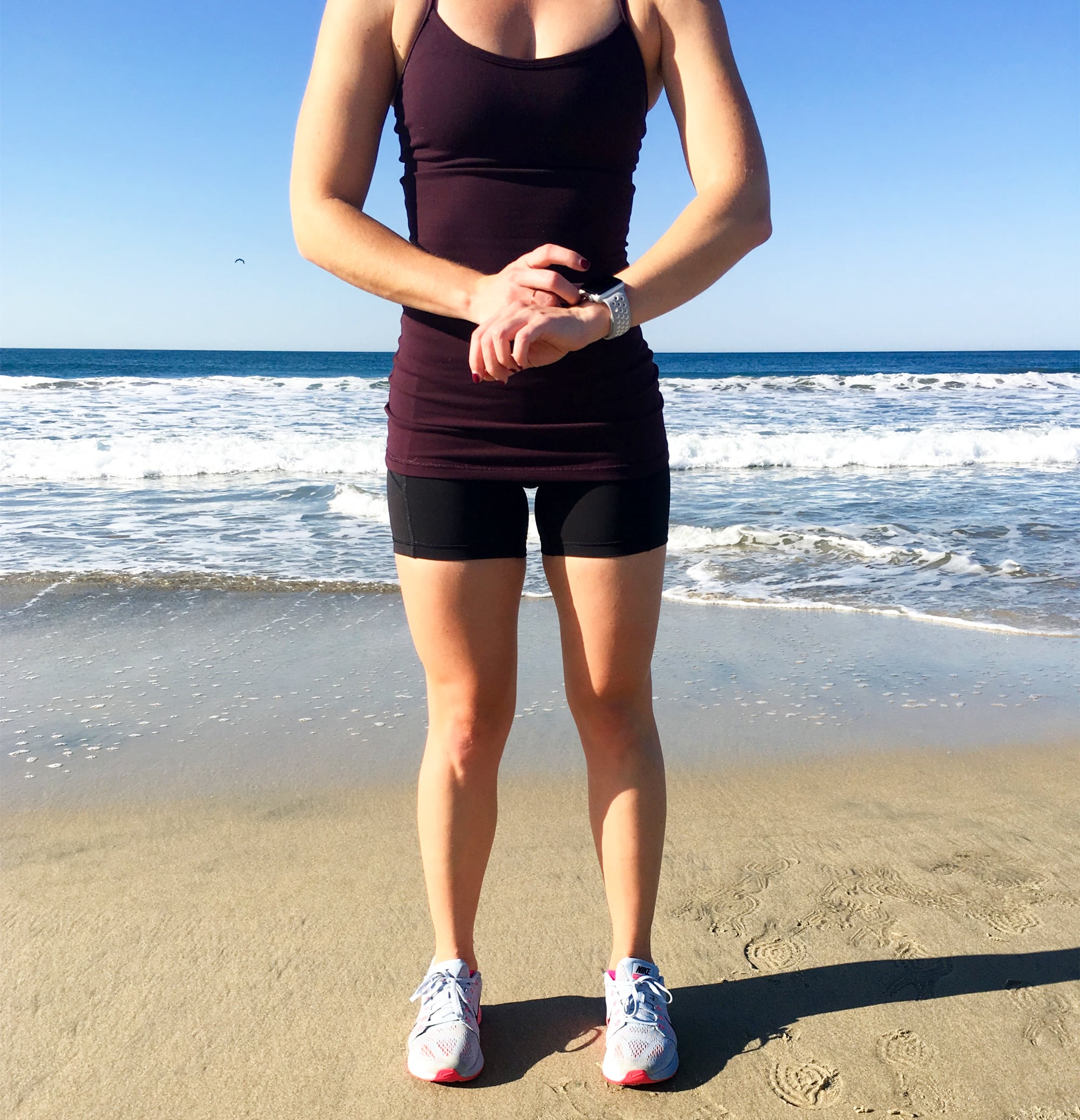
Thinking of getting yourself the new Apple Watch Nike+ this holiday season? Or maybe giving it to a loved one? Nike let us take these fancy new trackers on many test runs to see what the user experience is like, so we could give you preview of all the awesome new features. Let's get into it!
Apple Watch Nike+ vs. Apple Watch Series 2
Design and Aesthetic
What distinguishes this from the other Series 2 Apple Watches is the Nike sport band and preloaded watch "faces" with Nike's athletic, minimalist look — with gray and Nike's signature "volt" lime green colors. And that's it — other than the design you get the same features as you would on a Series 2 Apple Watch.

"When I look at this compared to the other running trackers out there, this is really sleek, stylish, and much more sophisticated. Definitely not your mom's run tracker! I love that I can wear this on my morning run and I don't want to take it off immediately after when I'm getting dressed for work." — Dominique Astorino
"And let's get real, these bands breathe so much easier than the regular Apple Watch band. The regular one doesn't let my skin breathe and since I have sensitive skin, it's not ideal at all." — Ann-Marie Alcantara
Fitness-Specific Apple Watch Series 2 Features
While you'll get these same features (below) with a regular Series 2 Apple Watch, if you're comparing the Apple Watch Nike+ to other running trackers, here are some highlights to consider that make this model stand out from the rest.
Waterproof Design
"For a runner or general fitness enthusiast, one of the best features about the updated Apple Watch is the fact that it's waterproof. This is a huge bonus if you're looking for a tracker and comparing it to others on the market." — DA
"As someone who does not know how to swim well (I swear I can at least float), the waterproofing is awesome for anyone who's also just into outdoor activities. I went kayaking with the Apple Watch and it was sprayed with water a lot. But with its new waterproof durability, I didn't have to worry about it surviving the trip (or feel like a tool for worrying about my precious Apple Watch while kayaking under the stars)." — AMA

Music Storage
"You can store up to 1 GB of music on your Apple Watch Nike+ and pair with your wireless headphones (I'd recommend the Powerbeats3) so you can have your running playlist on the go. For me, this means I get to store one running playlist at a time." — DA
Heart Rate Monitor
One of the benefits of the Apple Watch is the ability to monitor your heart rate, on the Heart Rate app, through the Nike+ Run Club app, and in the Workout app. This helps contribute to calorie-burning data and your movement data for the day in the Activity app.
GPS
"At the end of your run, regardless of whether or not you have your phone, you get a screen at the end that shows you the general route from the GPS. You can then sync to your phone once you've reunited with it (I know ... it's so hard to leave it behind) and look at your map a little more in depth and analyze where you slowed down, sped up, etc." — DA
"The map is also a great reminder for anyone on the fitness struggle bus of how much you were able to run. It's also so nice to have the option to leave your phone behind — something not possible on the first generation Apple Watch." — AMA

Using the Running App
While the general features of the Apple Watch Series 2 are enticing enough, the most exciting part of the Nike+ version is the fact that you get to take one of the best running apps from your phone and put it onto your wrist in the form of a very sleek tracker — arguably the sleekest.
To get started, you'll need to have the NRC app on your phone (and a Nike+ account), in order to install it on your Watch.
Once you're ready to take it for a test run (literally), all you have to do is tap the Nike+ symbol on your home screen. From there, the app launches and you can hit the start button or adjust your preferences (indoor run versus outdoor, auto-pause on and off).

Modes: Advanced and Basic
You can customize the "modes" of your running interface depending on the kind of stats you want to see. When you're just starting out, you might just want to see the amount of time you've been out there running and your total distance. For those of you working on the art of pacing, the Advanced Mode is for you.
"I use the Advanced Mode because I've been working on both quickening and maintaining an even pace, so this is really important to me. I also love that you can see your heart rate BPM in the top corner, because I've been getting more and more intrigued about heart rate data lately." — DA"
"I also use the Advanced Mode to know my pace and adjust — especially if I'm training for a race. I also like knowing it so I can show off and pretend I'm a fitness junkie who can talk about pace." — AMA
"You can totally talk about pace! We should start training for a race together!" — DA
"If only you'll accept running in the slowest corral ever." — AMA
Phone-Free Running
The Watch puts your NRC app on your wrist, so you don't have to carry your phone with you. You can track your pace, distance, total time, and even your route with the GPS feature, and then sync to your Nike+ Run Club app once you're back to your phone.
"I personally still run with my phone. The idea is amazing, but in terms of safety (I run alone in a city) — and to be totally honest, pictures — I still want my phone with me. Sharing photos of my run routes is one of my favorite parts of the Nike running app. But now, I can leave my phone in my pocket or waist pack — no need to constantly take it out to check pace, distance, etc. — I can just glance at my wrist!" — DA
"I also always run with my phone, but it's mostly to listen to my curated Spotify playlists and safety. However, on the weekends, it's a great option to leave my phone behind or at least know that having it near means accessing other important safety features that come with the new watch like SOS (hold the side button and 911 gets called)." — AMA
For those of you who love the NRC app but are less attached to your phone (and perhaps in a safer running environment), this will feel like a new freedom. You'll get all the benefits of tracking your pace, progress, and course — plus the ability to share your run — without having to carry or bring anything extra.
Auto-Pause
"Auto-pause is a major feature for me, and it's inherent in the NRC app, so it's nice that it carried over to the Watch as well. It's especially clutch for a distraction-free workout if you're running in a city or anywhere with stoplights. You have the option to turn this on or off depending on your preference, but when you have it on, there's no need to fuss with your Watch every time you stop for traffic or a crosswalk; the app automatically knows, pauses your workout (the classic "pausing workout" message you're familiar with if you've been using the app), and then resumes once you've begun running again." — DA
"The auto-pause is double-edged sword — and one I'm familiar with since I've used the NRC app for a while. It's awesome that it automatically pauses if you're walking or waiting at a stoplight, but sometimes I just want to take a break from huffing and puffing my way through a mile! Thankfully, though, the watch doesn't account for these breaks (necessary for beginner runners); you can turn off the auto-pause feature." — AMA
Accessing Your Data
If you swipe to the left twice in the running app, you'll get to the screen that shows your total mileage for the current month. For example, it might show four runs for December, with 8.75 total miles.
Your collective run data — including pace, splits, etc. — and past run routes are all stored on the NRC app on your phone and on your Nike+ account online. You cannot see any of this from your Watch once you've saved your most recent run.
Fun Features
Nike added in some intuitive and fun bonuses that make running more enticing, exciting, and interactive.
Reminders
"The 'Are We Running Today' feature is probably one of my favorite features of the Nike+ Watch. If it's been a few days since your last run, the screen pops up like a notification (with the weather info), prompting you to schedule a run for yourself. My first one said "It's 61º with a chance of greatness" and I damn near died with giddiness." — DA
"I'll admit, I was someone who totally tweeted about how the 'Are We Running Today' feature was a total run-shame move by Nike. But in practice, it doesn't actually remind you every day and it's just like a running to-do list." — AMA
Scheduling

If you need the extra motivation or accountability, the scheduling feature is both fun and practical. Once you're in the running app, swipe left to open the next screen, which is the scheduler. It'll show the next several hours in half-hour increments, alongside weather conditions, so you know what to expect when you hit the pavement or trails.
"If you're training for a run, this is an awesome reminder feature to meet your goals!" — AMA
Encouragement
"At the end of your run, cute screens come up with different messages — I've seen a different one every time, actually! I wish they lasted longer. You also sometimes get an encouraging audio message from a famous runner, coach, or even Kevin Hart." — DA
"The messages are what you wish your gym teacher in middle school would've said to you! They are positive, cheesy, and absolutely awesome to hear and see after finishing a run. It's almost like the words are coming from someone real who wants to see you succeed and get fit." — AMA

"On the note of getting some encouragement, I also interviewed trainer Jeanette Jenkins earlier this year, who ran the New York Marathon and used the Apple Watch Nike+ to pace her run (she LOVES her watch). She told me that one of her favorite features is that it's more than just a tracker — you get the Apple Watch text capabilities, too. This meant she was able to get texts of encouragement from her nieces and nephews that she could see right on her wrist. 'I wasn't expecting it, so it totally filled me with joy.'" — DA
Sharing
Once you've completed a run, you have the option to share it with your fellow Apple Watch Nike+-owning friends, which can send them a virtual "fist-bump" prompting them to match or surpass your mileage. A little friendly competition.
"Ann-Marie and I couldn't get this to work between us, but we haven't given up hope. We asked Nike what triggers the bumping of the fists, and they told us that the software is designed to give a more serendipitous feel to the fist-bump — so it doesn't happen every time you run. You also have to make sure that both of you are wearing the watch for it to happen." — DA
"Since Dominique is a fitness editor, I hope to get some fist bumps from her soon. It'll be a nice and friendly reminder to exercise instead of rewatching Gilmore Girls (again)." — AMA
"Oh yeah this will be a fun way to be accountability buddies! We have to make this work." — DA

Beyond the fist-bump functionality, you also can share your run to the rest of the Nike+ community and your Nike+ friends, and from the app on your phone, you can share more to social media. Keeping the positive run vibe alive, and encouraging you — and your friends — to get out there and stay active.
Beyond Running
If you're using the Apple Watch Nike+ for activities other than running, bear in mind that you'll be using the standard Apple Watch Workout app. This is not a Nike-specific activity tracker, but you can use it to log workouts like indoor cycling, weight training, and even swimming, thanks to the watch being waterproof.
Overall Impression
"I've never been truly convinced that anyone needs an Apple Watch, but this one finally makes it a worthy investment. With the new watchOS3, bands, GPS, and waterproof capabilities, the price tag on this watch makes sense, and you won't regret having one. It might be the little motivation you need in the New Year to start training for a race (or to pretend like you're going to train for one)." — AMA
"I love this thing so much — it's been encouraging me to go for more runs because it's literally ON MY WRIST every day, encouraging me to use it. The fact that I can interact with friends through the watch is a huge bonus, too. But my favorite part remains that I can take everything I love from my favorite running app and now use it with wrist-tracker functionality. If I didn't have this one, it'd be atop my Christmas list ... also, my parents read this, so I can't say if they will or won't be getting one from me, but let's just say that things are looking good for them this year." — DA
Is the Apple Watch Nike+ right for you? If running isn't your favorite activity, and you're just hoping for simple step tracking or exercise logging, or if you're looking for a tracker that logs sleep (the Apple Watch can't do this as you need to charge it nightly), then you might want to look elsewhere. But if you're looking for a stylish, waterproof run tracker with the added benefits of the Apple Watch (ability to listen to music phone-free, take calls and texts, use Apple Pay), and get a nice friendly dose of encouragement to go on another run ... then yes, you're definitely going to want one of these to kick off 2017.